Transferable Production
Creating work that can be easily shared, understood, and continued by others through effective communication, organization, and documentation.
1. Communication
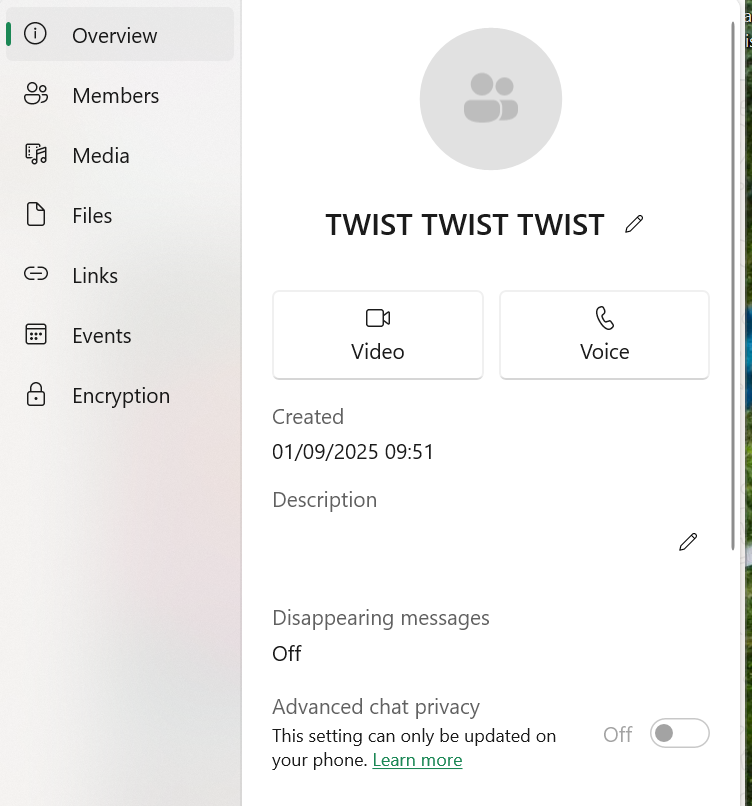
WhatsApp Group for Daily Communication
Short Summary
- Created a WhatsApp group for daily team communication
- Used for announcements about lateness, absence, or help needed
- Helped the team stay organized and support each other
Introduction
For daily communication, we decided to create a WhatsApp group since it's the app we all use the most.
Process
We used the WhatsApp group to announce if we would be late, absent, sick, or in need of help with anything. The WhatsApp group helped us stay organized and support each other, making communication quick and effective throughout the project.
Reflection
The WhatsApp group was great for organization and supporting each other quickly. It improved our ability to communicate effectively throughout the project.
Teams Group for Document Sharing
Short Summary
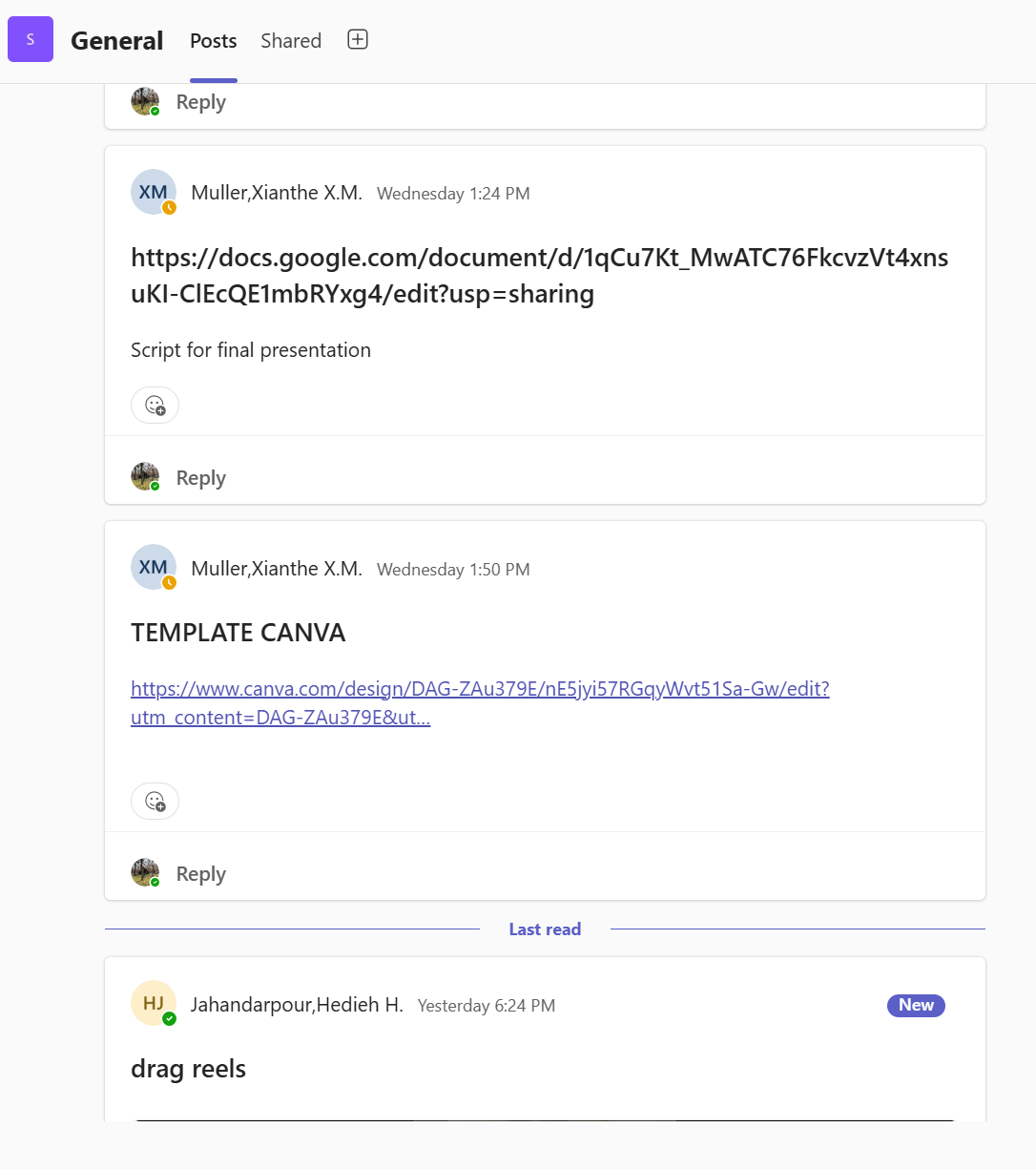
- Created a Teams group for important documents and files
- Stored only essential resources to prevent them from getting lost in chats
- Made all resources easily accessible for the whole team
Introduction
For documents or files that we needed to access quickly, we created a Teams group.
Process
Only important documents, files, and links were stored there so they wouldn't get lost in chats, and we could easily find everything needed for our work. The Teams group helped us stay organized and ensured that all essential resources were easy to access, improving our workflow.
Reflection
The Teams group helped us keep all essential resources organized and easy to access, which improved our overall ability to work together efficiently.
2. Organization
Trello Board for Task Management
Short Summary
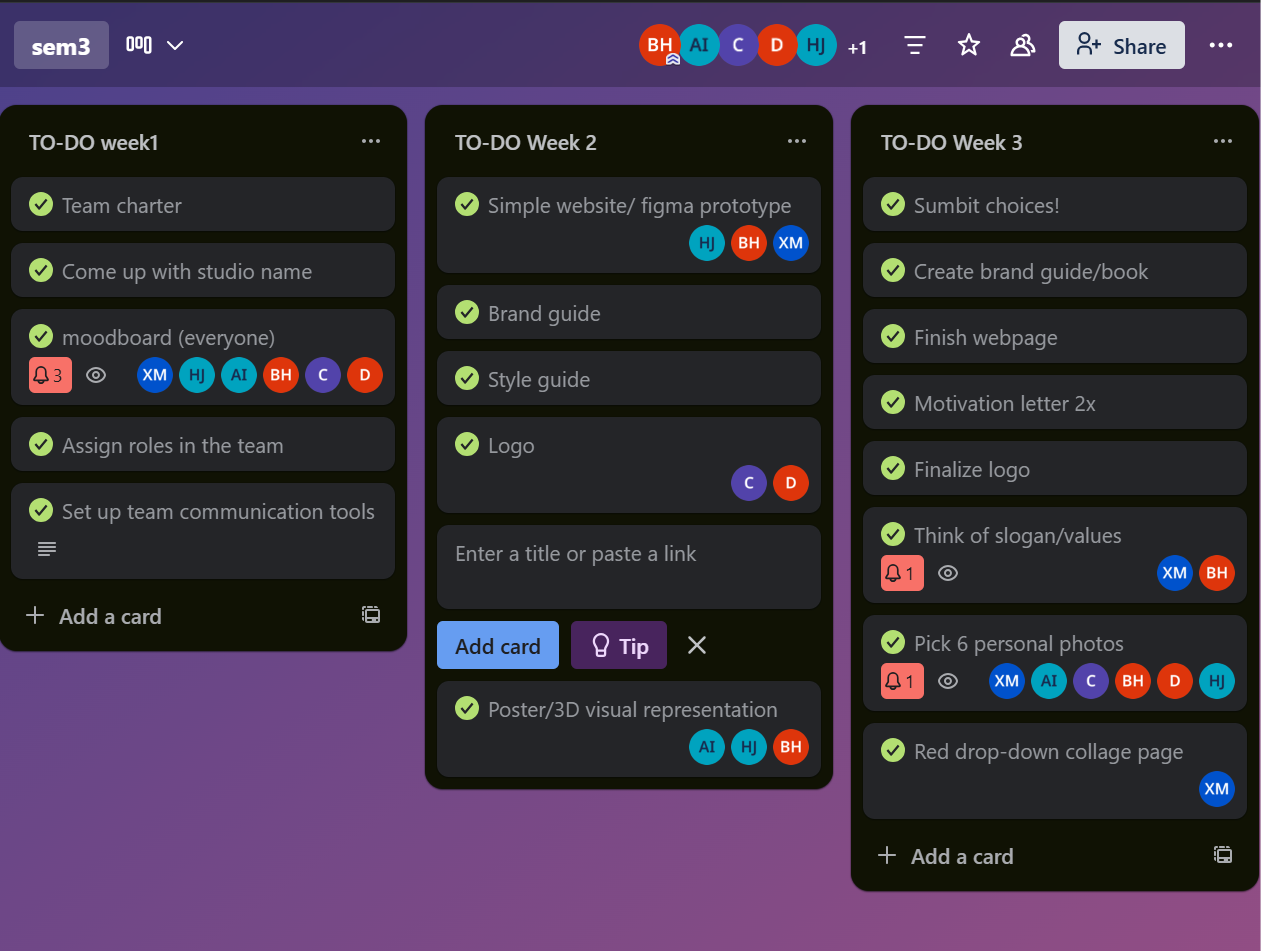
- Used a Trello board to organize tasks by week
- Set daily goals based on the board
- Helped visualize what needed to be finished each day
Introduction
We established specific tools to keep the team organized, manage tasks, and ensure everyone was clear on their responsibilities.
Process
For task assignment and planning, we created a Trello board to organize our work weekly. Every day at school, we would decide which tasks from the Trello board we were going to work on.
Reflection
Using the Trello board helped us stay organized, plan our work effectively, and clearly see what needed to be finished each day.
Team Charter for Accountability
Short Summary
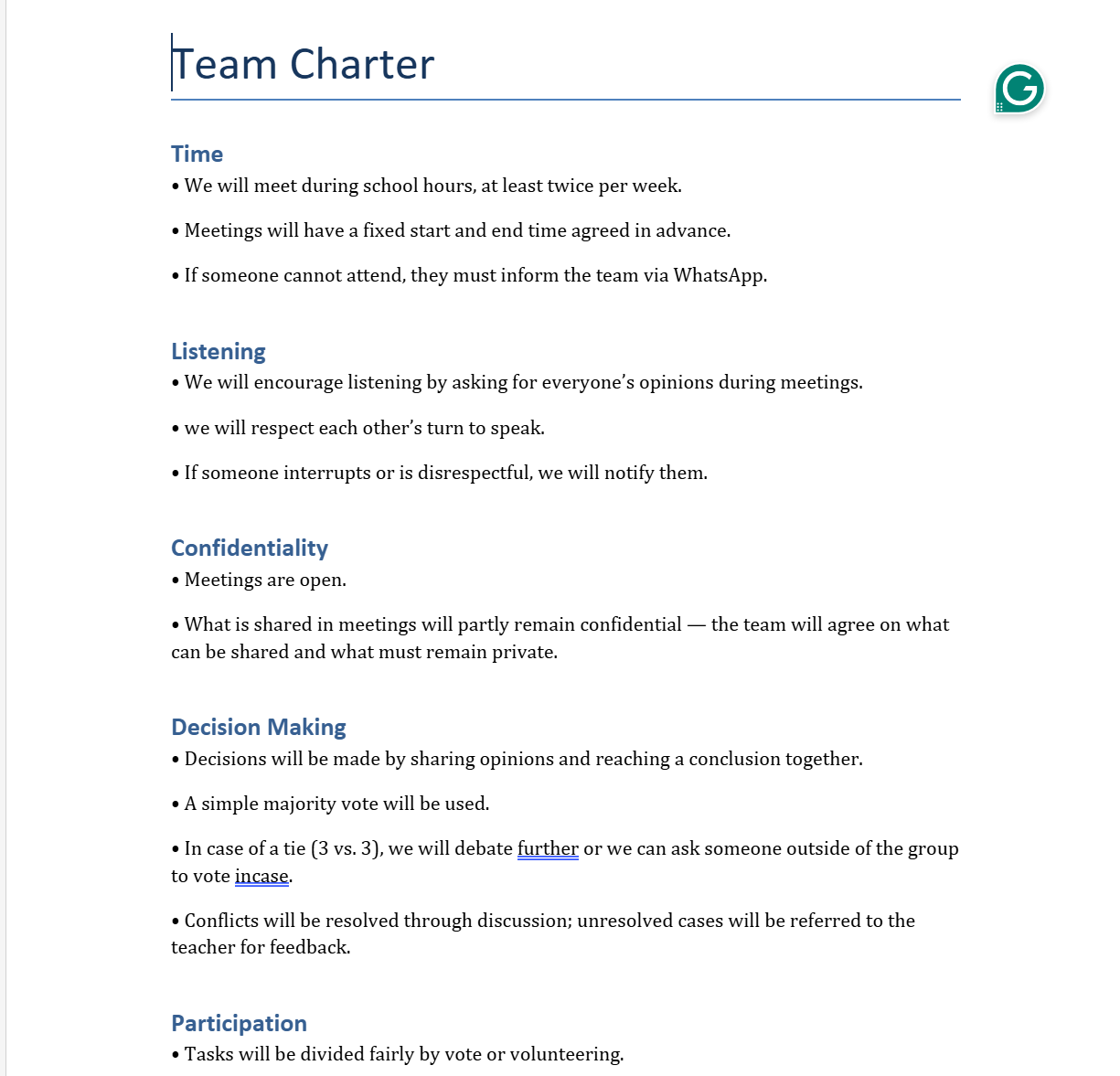
- Created and signed a Team Charter to set clear rules
- Made everyone responsible for their work
- Established consequences for breaking the rules
Introduction
To ensure the team was structured, planned effectively, and clear on expectations, we created accountability measures.
Process
To make sure everyone agreed to a set of rules and knew the consequences for breaking them, we created a team charter that every member had to sign.
Reflection
Creating and signing the team charter helped us set clear expectations and increased accountability, which improved our teamwork and individual responsibility.
3. Coding
Git Repository for Code Management
Short Summary
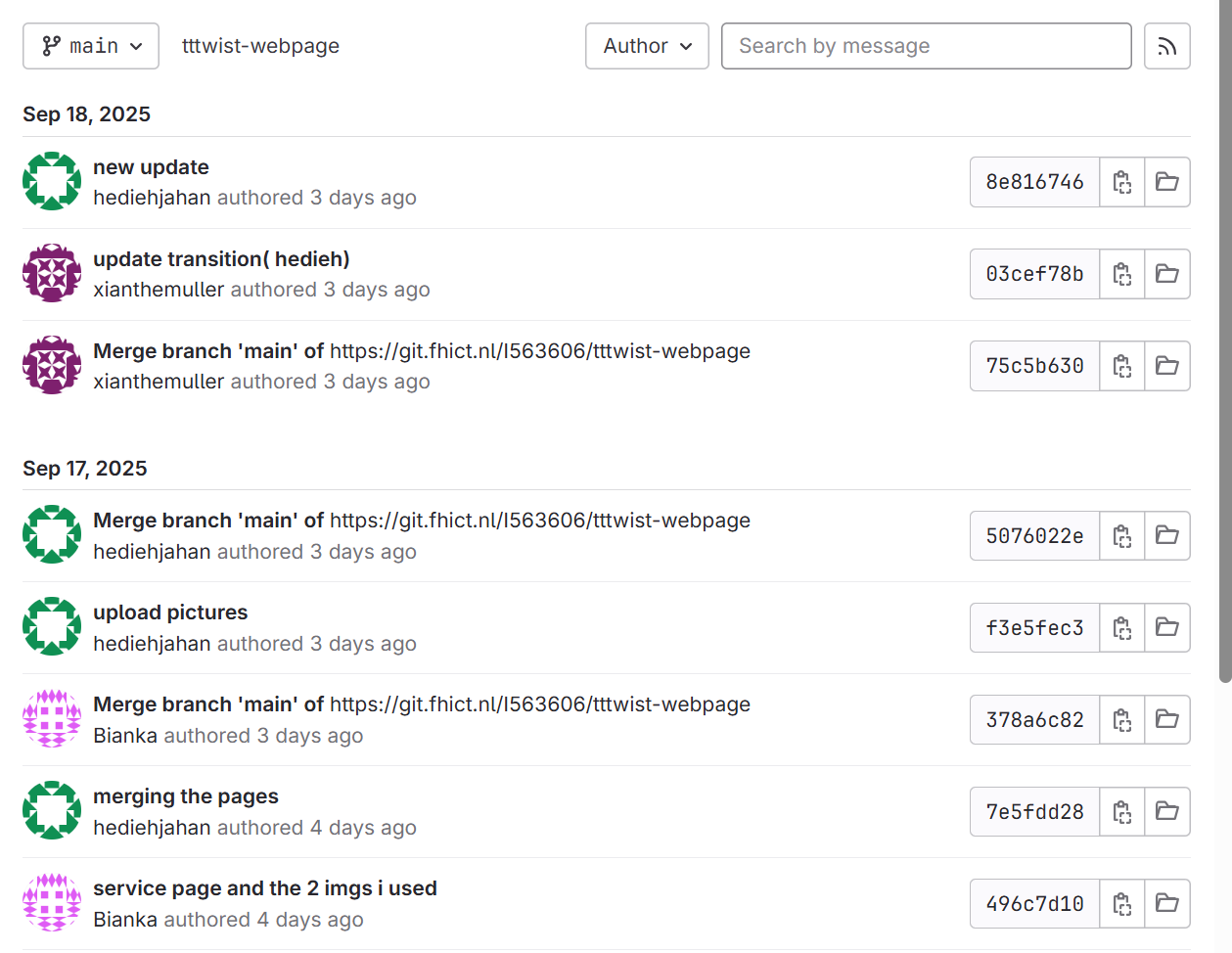
- Used a Git repository to manage and track website code
- Organized code and saved different versions of the project
- Enabled team collaboration on different pages
Introduction
To keep track of the code being written for the website, we used a powerful version control system: a Git repository.
Process
We created a Git repository to help organize our coding work, save different versions of the project as we went, and make sure we never lost any progress. This system also greatly simplified collaboration. Each team member could work on their specific assigned pages, and then we could easily combine all these individual changes back into one complete project.
Reflection
Using the Git repository taught me how to manage code in a team environment. It allowed us to keep our work organized and track our progress effectively, which is essential for successful collaborative development projects.
4. Video Production
Storyboard for Eindhoven Pride Video
Short Summary
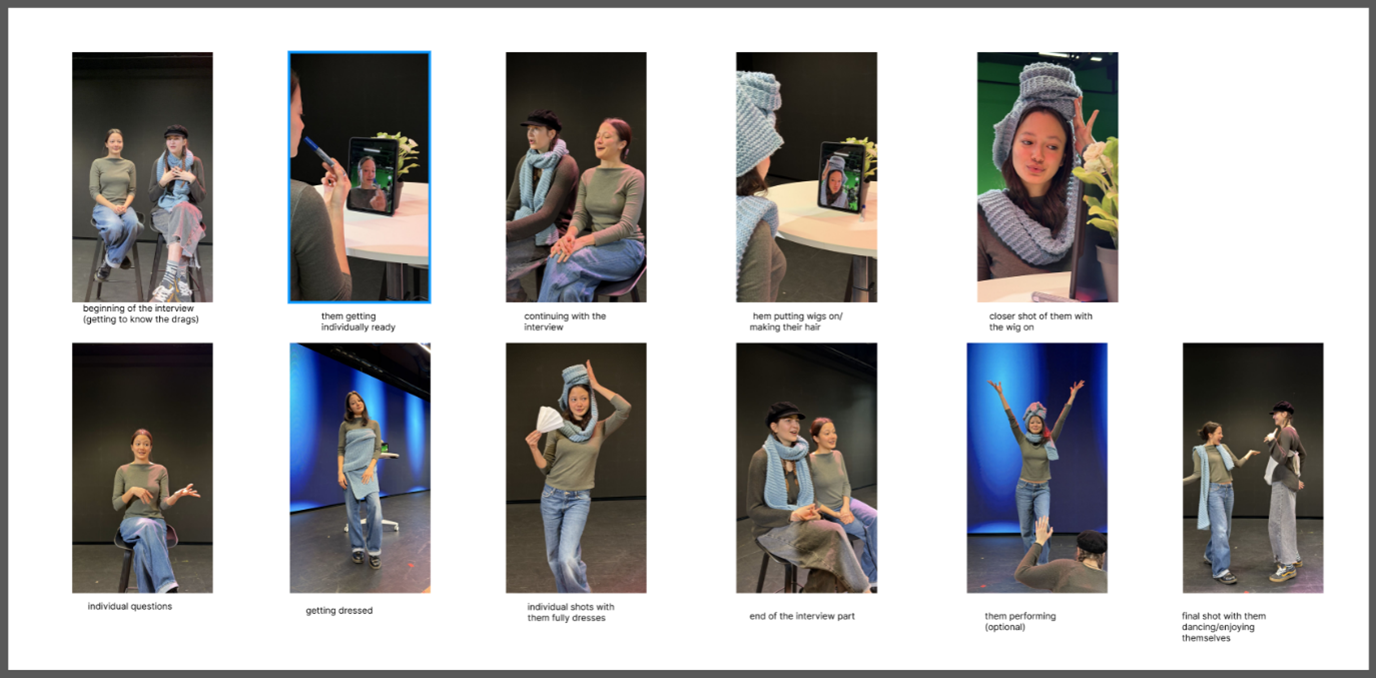
- Created a storyboard to plan scenes and visualize the final video
- Started with AI images for quick ideas
- Took real photos at Pixel Playground to practice composition
- Added descriptions for each frame
Introduction
I created a detailed storyboard for the Eindhoven Pride video to plan the scenes and visualize how the final video would look and flow.
Process
I began by using AI-generated pictures to quickly test different compositions and moods. I then went to the Pixel Playground to take real photos of myself and a classmate. This practical step helped the storyboard feel more real and allowed me to better understand different camera angles. I also added short descriptions beneath each picture to clearly explain the action and focus for every single frame.
Reflection
Using a mix of AI tools and real photos made the storyboard much stronger and more realistic. Taking the photos myself was a great way to learn more about camera angles and framing. Overall, the storyboard was a clear and effective way to share and plan my video ideas.
For more details, check out our project for Eindhoven Pride.
Shot List for Drag Reel
Short Summary
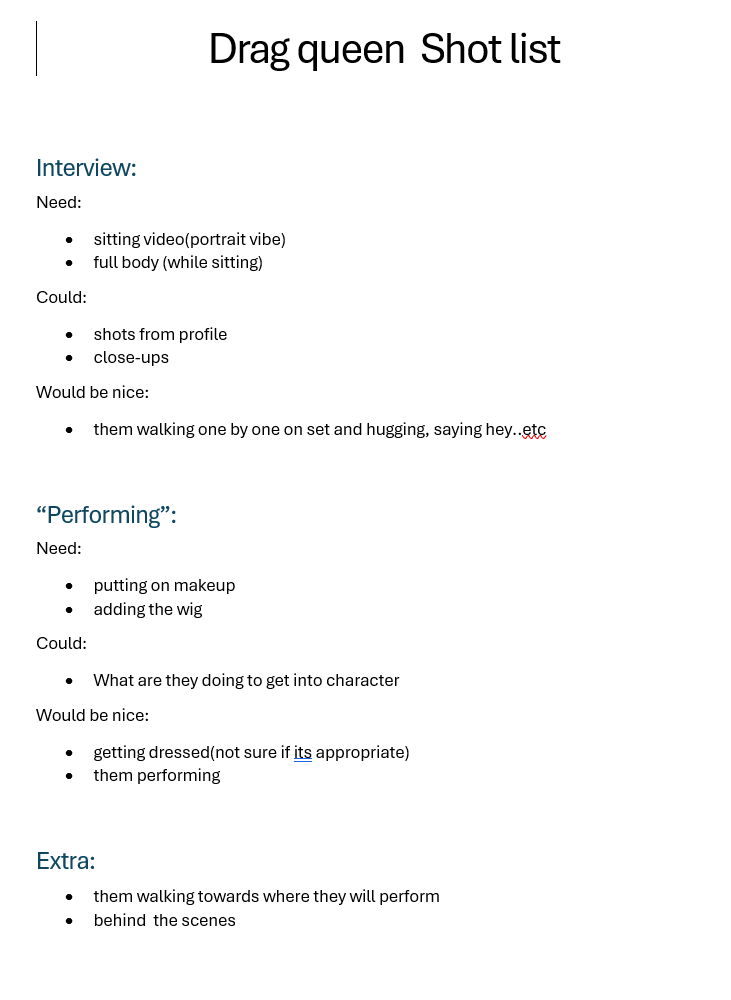
- Created a comprehensive shot list for the Drag Reel
- Broke down each scene into individual shots
- Prioritized important moments
Introduction
I developed a comprehensive shot list for the Drag Reel at Eindhoven Pride to carefully plan and organize all the scenes we needed to capture during filming.
Process
I reviewed the storyboard to see exactly which shots were necessary for each section of the video. Then, I systematically broke down every scene into individual shots, writing notes on what the camera needed to capture in each frame. I adjusted the list as new ideas came up and made sure to prioritize the most important moments to include in the final video.
Reflection
Creating the shot list helped me plan the entire production in a step-by-step manner. It taught me that breaking down scenes into separate shots makes the filming process much clearer and more organized. This entire exercise was valuable for teaching me how to think critically about what each shot contributes to the overall story.
For more details, check out our project for Eindhoven Pride.
5. Documentation
Portfolio Reading Guide
Short Summary
- Created a reading guide for my portfolio
- Helps teachers quickly understand updates and structure
- Ensures clarity when sharing documentation
- Supports version control and transparency
Introduction
To improve the clarity and professionalism of my portfolio, I created a reading guide. The purpose was to help my teacher quickly see what I added, changed, or updated throughout the semester.
Process
I structured the reading guide so that it follows the same order as the portfolio itself. Every new update, new piece of evidence, or design change is listed clearly so that anyone reading it can immediately understand what has changed. This helps make the portfolio easier to navigate, especially for evaluation.
Validation
The importance of having a reading guide became clear after receiving feedback from teachers about clarity and structure, and creating this guide was my response to that feedback.
Reflection
This evidence supports transferable production under LO2, but it also reflects my personal leadership because I took responsibility for making my documentation more accessible and professional. By thinking ahead about what teachers or other readers might need, I demonstrated organization, communication skills, and awareness of professional standards.
Video Delivery & Organization
Short Summary
- Shared videos and raw footage through Google Drive
- Organized content per project and community
- Created documentation explaining each video's purpose
Introduction
All videos and raw footage created during the Pride project will be shared with Johan through a structured Google Drive folder.
Process
The content is organized per project and per community, so it is easy to navigate and reuse in the future. Alongside the files, we created a short document explaining what each video is about, for which purpose it was made, and how it can be used. This makes the content more transferable, because Johan or future teams can understand the context without needing extra explanation from us.
Reflection
By organizing and documenting our work in this way, we ensured that the project results are not only delivered, but also usable, clear, and easy to continue or adapt in the future.
For more details, check out our project for Eindhoven Pride.

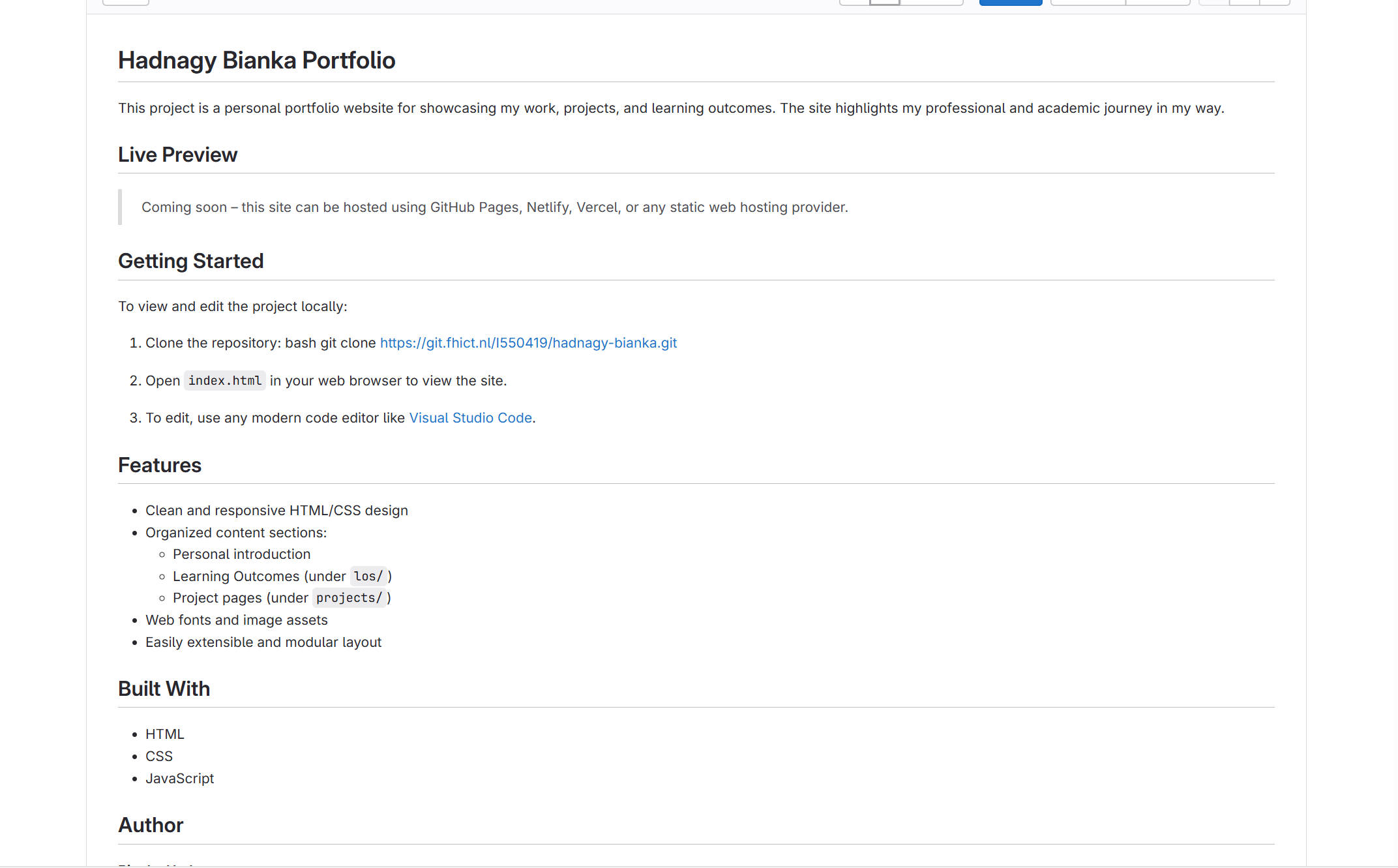
Git & Documentation
Short Summary
- Used Git to manage website development professionally
- Tracked progress with commits and version history
- Created a README file to explain project context
Introduction
For this project, I used Git to manage the development of my website in a structured and professional way.
Process
By working with commits and version history, I could track my progress, fix mistakes more easily, and maintain an organized workflow. Using Git also supports transferable production, because the project is not tied only to me. Others can access the repository, understand the structure, and continue working on it if needed. The README file plays an important role in this, as it clearly explains the purpose of the website, the project context, and how the code is organized.
Reflection
Together, Git and the README make my work easier to share, understand, and reuse, which is an essential part of professional and transferable production.
See the Git repository and README.